Web 크롤링
Web 크롤링
웹 크롤링은 url을 탐색해 반복적으로 링크를 찾고 가져오는 과정을 의미함.
과정
1. 기본적으로 vscode에서 python을 가지고 크롤링을 함.
1
2
   pip3 install bs4
   pip3 install requests
두개의 라이브러리를 설치
1
2
3
4
5
6
7
```python
# 라이브러리 임포트
import requests
import csv
from bs4 import BeautifulSoup
```
라이브러리를 임포트함.
2. 자신이 크롤링하고 싶은 사이트를 선정
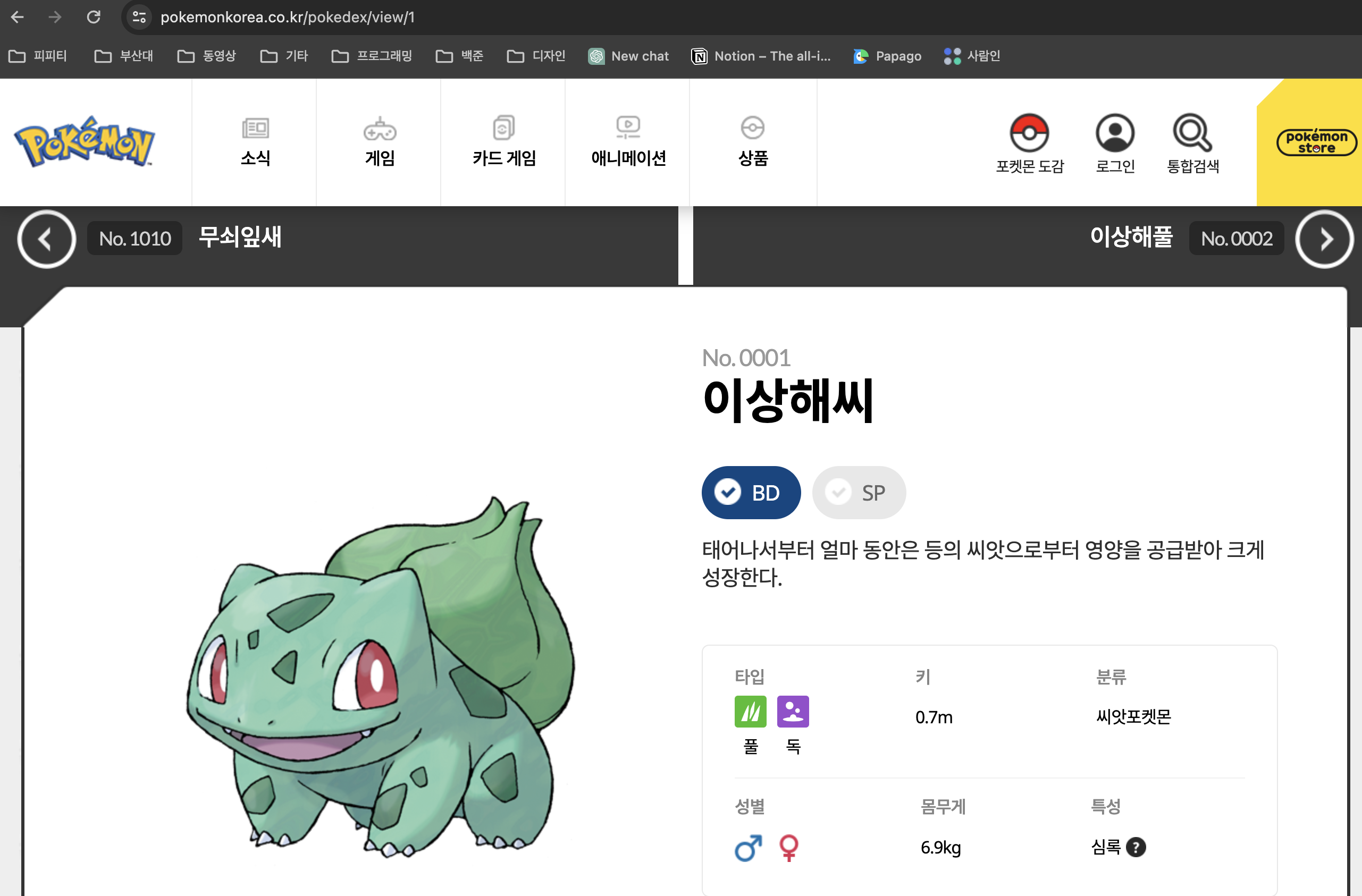
url의 구성을 확인함.
1
2
3
4
5
6
7
8
9
10
11
12
# 라이브러리 임포트
import requests
import csv
from bs4 import BeautifulSoup
# 원하는 주소
url = "https://www.pokemonkorea.co.kr/pokedex/view/"
# 원하는 index 만큼 반복
for index in range(1, 1230):
        # get으로는 str값만 받을 수 있어서 index를 형변환해준다.
        response = requests.get(url + str(index))
        # response의 값을 beatifulSoup을 사용해 html으로 바꾸어준다.
        soup = BeautifulSoup(response.text,"html.parser")
기본적으로 requests를 반복하며 수집할 예정.
3. 개발자 모드를 이용해 html구성을 확인.
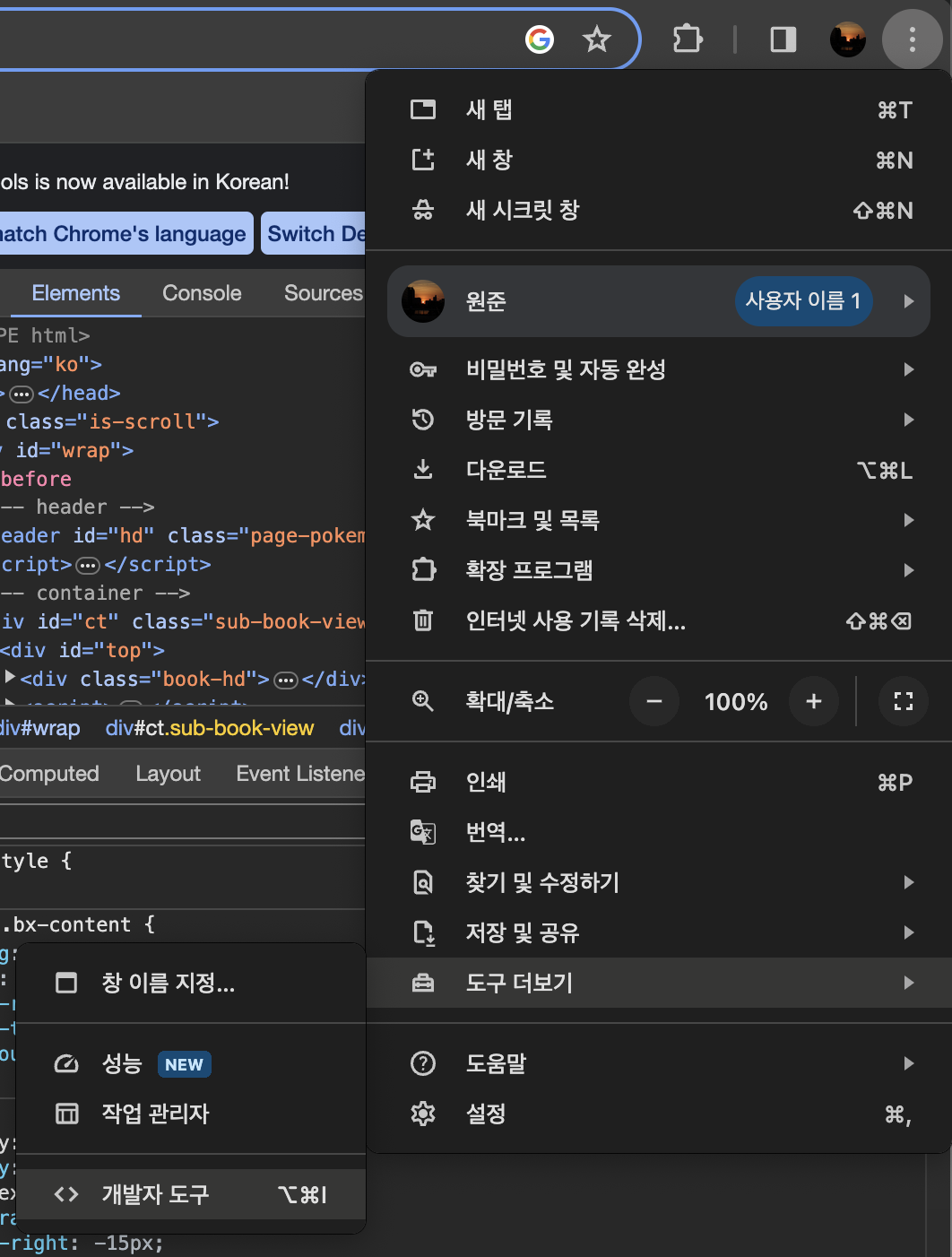
도구 더보기 - 개발자 도구
1
2
3
4
5
6
7
8
9
10
11
12
13
14
15
16
17
18
19
20
21
22
23
24
25
26
27
28
29
30
31
32
33
34
35
36
37
38
39
40
41
42
43
44
45
46
47
48
49
50
51
52
53
54
55
56
57
58
59
60
61
62
63
64
65
66
67
68
69
70
    # 도감번호(no)
        # find (메서드는 태그 중 첫번째를 찾는다.)
        h3 = soup.find("h3")
        # h3 태그에서 다시 p태그 중 class_"font-lato"를 찾고 -> text 값을 가지고 온다.
        # strip() 메서드를 통해 "No. "를 없엔다.
        no = h3.find("p", class_="font-lato").text.strip("No. ")

        # 모습(figure)
        # 마찬가지로 find() 메서드를 통해 p태그에서 style "padding-top:5px;"을 가지고 있는것을 찾는다. -> text 값을 가지고 온다.
        figure = h3.find("p",style="padding-top:5px;").text

        # 이름(name)
        name = h3.text.strip()
        # replace() 메서드를 이용해 name 중 figure에 해당되는 값을 ""로 대체한다.
        # split() 메서드로 list로 만든 뒤 2번째값을 반환한다.
        name = name.replace(figure,"").strip().split()[2]

        # 타입(type)
        # find_all() 메서드는 해당되는 모든 태그를 찾는다.
        type = soup.find_all("span", class_="img-type")
        # 타입이 2개 일수도 있기때문에 if문을 통해서 처리해준다.
        if len(type) < 2:
            type1 = type[0].text
            type2 = ""
        else:
            type1 = type[0].text
            type2 = type[1].text

        # 성별(sex)
        # 여기도 똑같이 if, elif, else를 통해 처리해준다.
        if soup.find(class_="icon-man mr-3") and soup.find(class_="icon-woman"):
            sex = "남/여"
        elif soup.find(class_="icon-woman"):
            sex = "여"
        elif soup.find(class_="icon-man mr-3"):
            sex = "남"
        else:
            sex = "불명"

        # 분류(classify)
        # 먼저 "bx-detail 클래스를 찾고 그 중에서 모든 "col-4" 찾는다.
        classify = soup.find(class_="bx-detail")
        elements = classify.find_all(class_="col-4")
        # 리스트 배열을 하나 만든다.
        list = []

        # elements를 하나씩 돌면서 text 정보를 list 배열에 넣어준다.
        for element in elements:
            info=element.text.strip(" ")
            list.append(info)

        # 리스트 배열에서 해당되는 인덱스를 찾아 split()해주고 해당되는 순서를 변수에 넣어준다.
        #키(height)
        height = list[1].split()[1]
        #무게(weight)
        weight = list[4].split()[1]
        # 분류(class)
        cls = list[2].split()[1]
        # 특성(char)
        char = list[5]
        # 특성이 2개일 수도 있기 때문에 처리
        if len(char.split()) < 4:
            char1 = char.split()[1]
            char2=" "

        else:
            char1 = char.split()[1]
            char2 = char.split()[3]

        print(no,name,figure,type1,type2,sex,height,weight,cls,char1,char2)
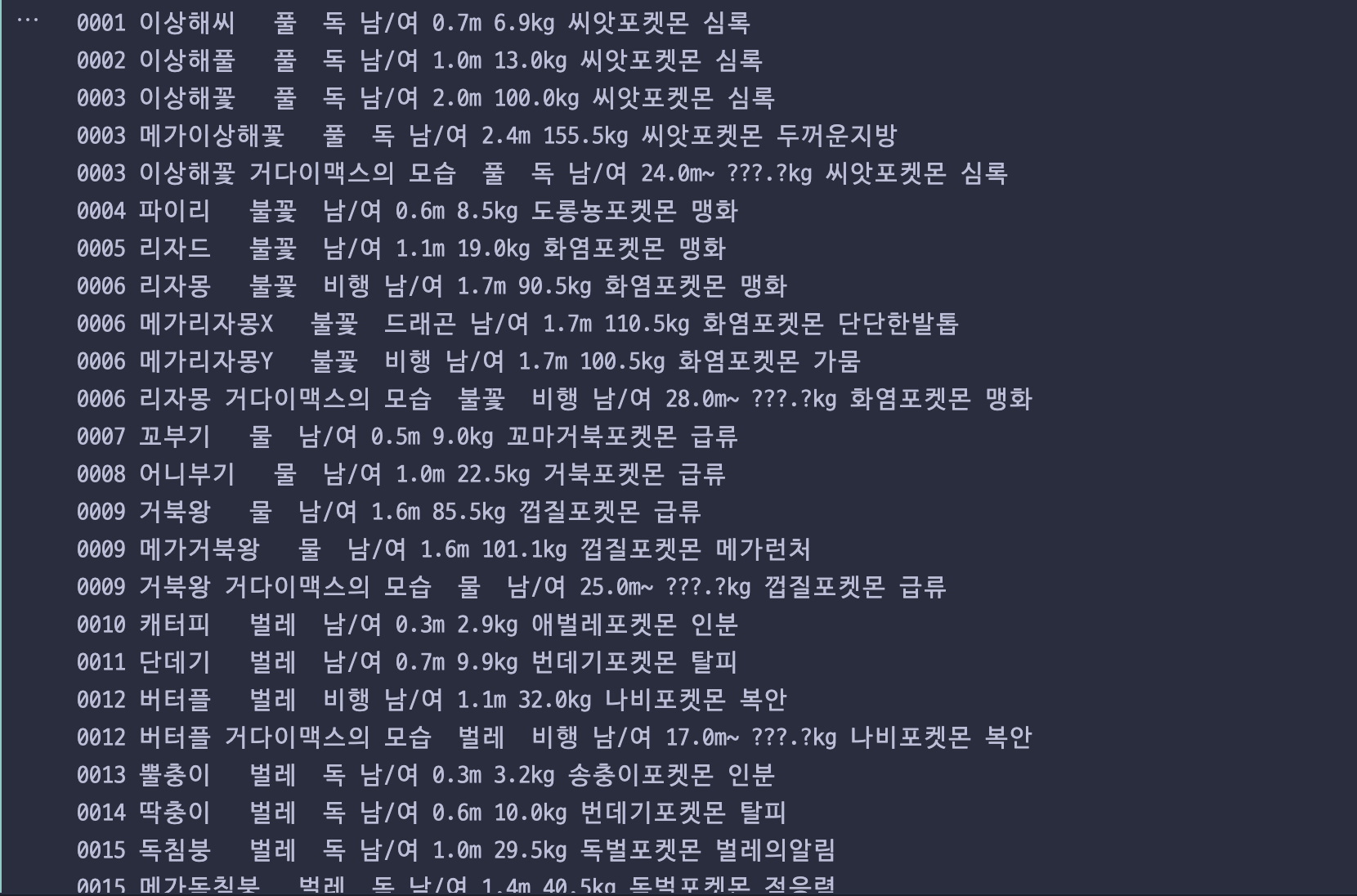 print()로 확인한 결과 잘 나온다!
4. 이미지 로컬에 저장하기
나는 이미지도 로컬에 저장하고 싶었다.
1
2
import time
from urllib.request import urlretrieve
두개의 라이브러리를 임포트
1
2
3
4
5
6
7
8
9
10
11
12
13
14
 # 이미지(img)
        # find()를 이용해 이미지 주소 찾기
        img = soup.find(class_="col-lg-6 col-12").find("img")
        #로컬에 이미지 저장
        # img에서 "src"로 해당되는 주소를 img_url에 넣는다.
        img_url = img["src"]
        #4자리 숫자로 포멧팅
        img_name = f"../images/poketmon{index:04d}.png"
        # urlretrieve(url주소, 어디에 저장할지 결정 ex: ../폴더/이미지이름.확장자 )
        urlretrieve(img_url,img_name)
        # 저장이 잘되는 지 확인할려고 만든 함수
        print(f"{index}저장 성공")
        # 너무 빨리하면 막을 수도 있기때문에 time.sleep()으로 1초 동안 기다리기
        time.sleep(1)
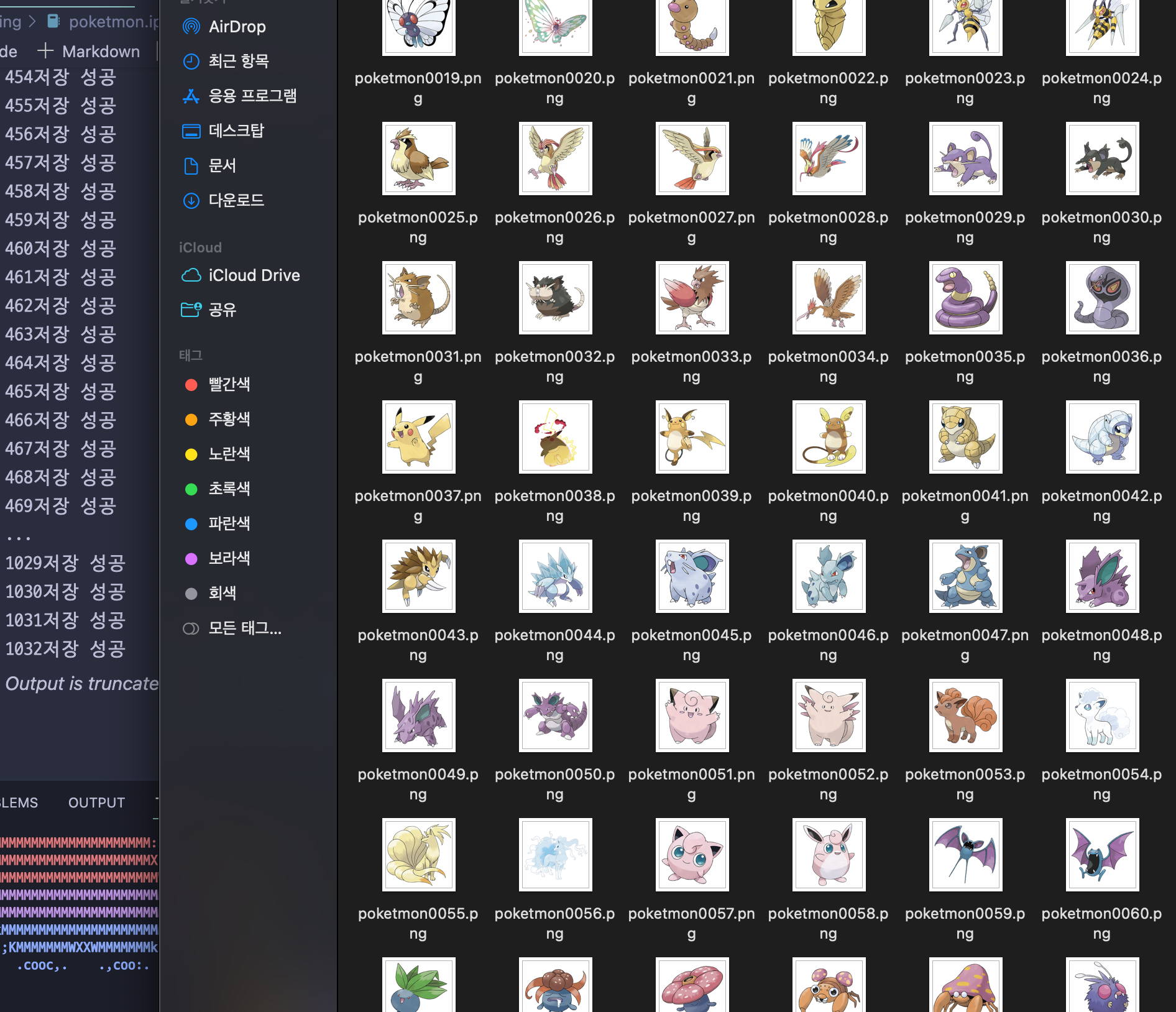 로컬에 저장성공!!
5. csv로 데이터 저장하기
csv로 저장하는 건 나중에 더 자세히 설명하겠다.
1
2
3
4
5
6
7
8
9
10
11
12
13
14
15
16
17
18
19
20
21
22
23
24
25
26
27
28
29
30
31
32
33
34
35
36
37
38
39
40
41
42
43
44
45
46
47
48
49
50
51
52
53
54
55
56
57
58
59
60
61
62
63
64
65
66
67
68
69
70
71
72
73
74
75
76
77
78
79
80
81
82
83
84
85
86
87
88
89
90
91
92
93
94
95
# 라이브러리 임포트
import requests
import csv
from bs4 import BeautifulSoup
import time
from urllib.request import urlretrieve

# 원하는 주소
url = "https://www.pokemonkorea.co.kr/pokedex/view/"
# csv 파일 만들기 ("w" : 이미 존재하면 내용을 지우고 새로운 파일 만들기) newline= "" : 줄바꿈 처리
with open("../csv/poketmon_data.csv", "w", newline= "",encoding ="utf-8") as csvfile:
    # csv writer 객체 생성
    csv_writer = csv.writer(csvfile)
    # 해더 쓰기
    csv_writer.writerow(["no","name","figure","type1","type2","sex","height","weight","class","char1","char2","image"])


    for index in range(1, 1230):
        try:
            response = requests.get(url + str(index))
            soup = BeautifulSoup(response.text,"html.parser")

            #도감번호(no)
            h3 = soup.find("h3")
            no = h3.find("p", class_="font-lato").text.strip("No. ")

            #모습(figure)
            figure = h3.find("p",style="padding-top:5px;").text

            #이름(name)
            name = h3.text.strip()
            name = name.replace(figure,"").strip().split()[2]

            #타입(type)
            type = soup.find_all("span", class_="img-type")
            if len(type) < 2:
                type1 = type[0].text
                type2 = ""
            else:
                type1 = type[0].text
                type2 = type[1].text

            #성별(sex)
            if soup.find(class_="icon-man mr-3") and soup.find(class_="icon-woman"):
                sex = "남/여"
            elif soup.find(class_="icon-woman"):
                sex = "여"
            elif soup.find(class_="icon-man mr-3"):
                sex = "남"
            else:
                sex = "불명"

            #분류(classify)
            classify = soup.find(class_="bx-detail")
            ele = classify.find_all(class_="col-4")
            list = []
            for i in ele:
                a=i.text.strip(" ")
                list.append(a)
            #키(height)
            height = list[1].split()[1]
            #무게(weight)
            weight = list[4].split()[1]
            # 분류(class)
            cls = list[2].split()[1]
            # 특성(char)
            char = list[5]
            # print(len(char.split()))
            if len(char.split()) < 4:
                char1 = char.split()[1]
                char2=" "

            else:
                char1 = char.split()[1]
                char2 = char.split()[3]

            #데이터 넣기
            csv_writer.writerow([no,name,figure,type1,type2,sex,height,weight,cls,char1,char2])
            # 이미지(img)
            img = soup.find(class_="col-lg-6 col-12").find("img")

            #로컬에 이미지 저장
            img_url = img["src"]
            #4자리 숫자로 포멧팅
            img_name = f"../images/poketmon{index:04d}.png"
            # urlretrieve(img_url,img_name)
            # print(f"{index}저장 성공")
            # time.sleep(1)


            # print(no,name,figure,type1,type2,sex,height,weight,cls,char1,char2)

        except requests.RequestException as e:
            print(f"{index} 저장 실패: {e}")
    print("csv파일 생성 완료")
전체 코드 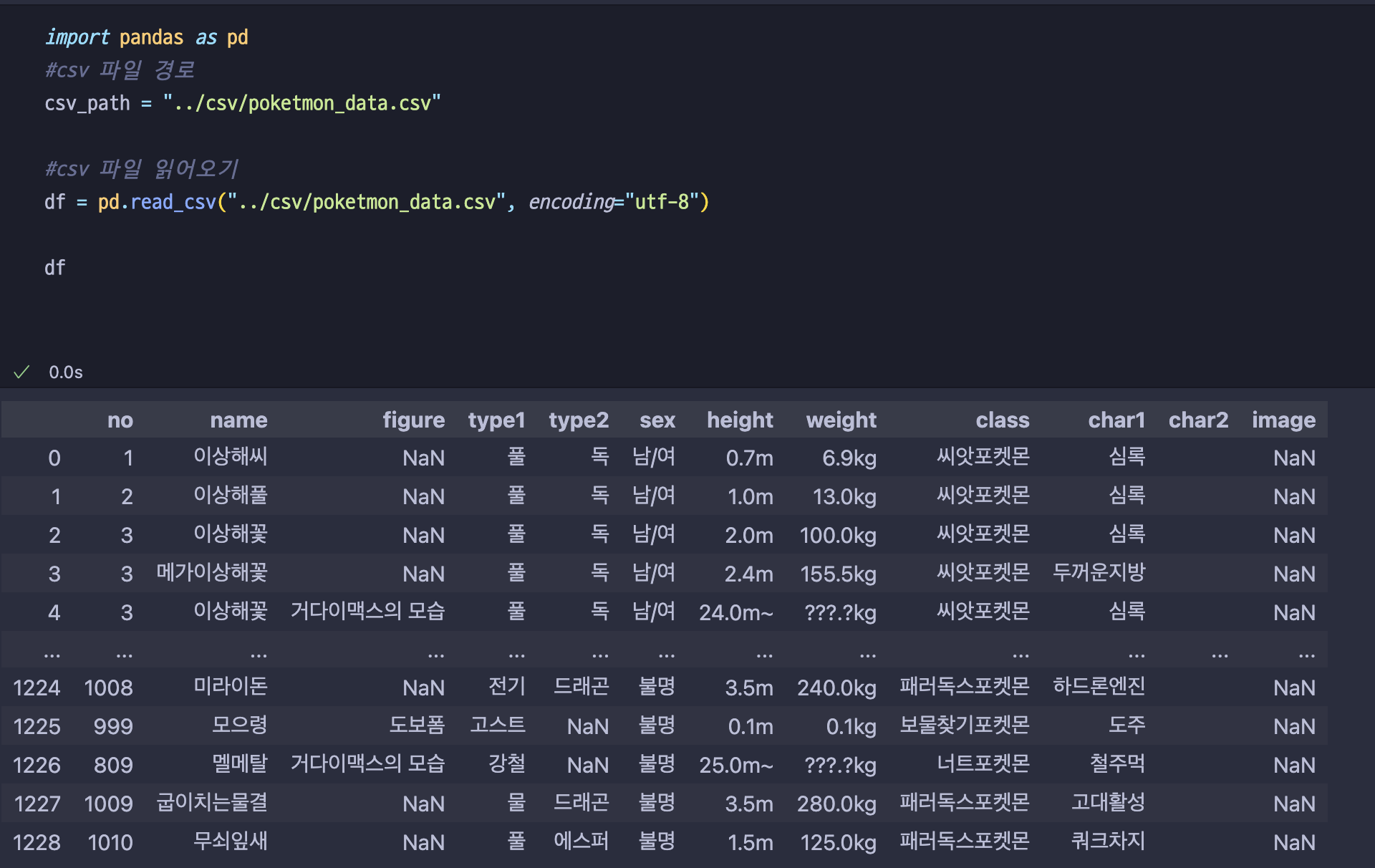 나중에 pandas를 이용해 보니까 잘 들어갔다. 나이스!
이 기사는 저작권자의 CC BY 4.0 라이센스를 따릅니다.